Cargoplot MCP: ask your AI assistant where your container is
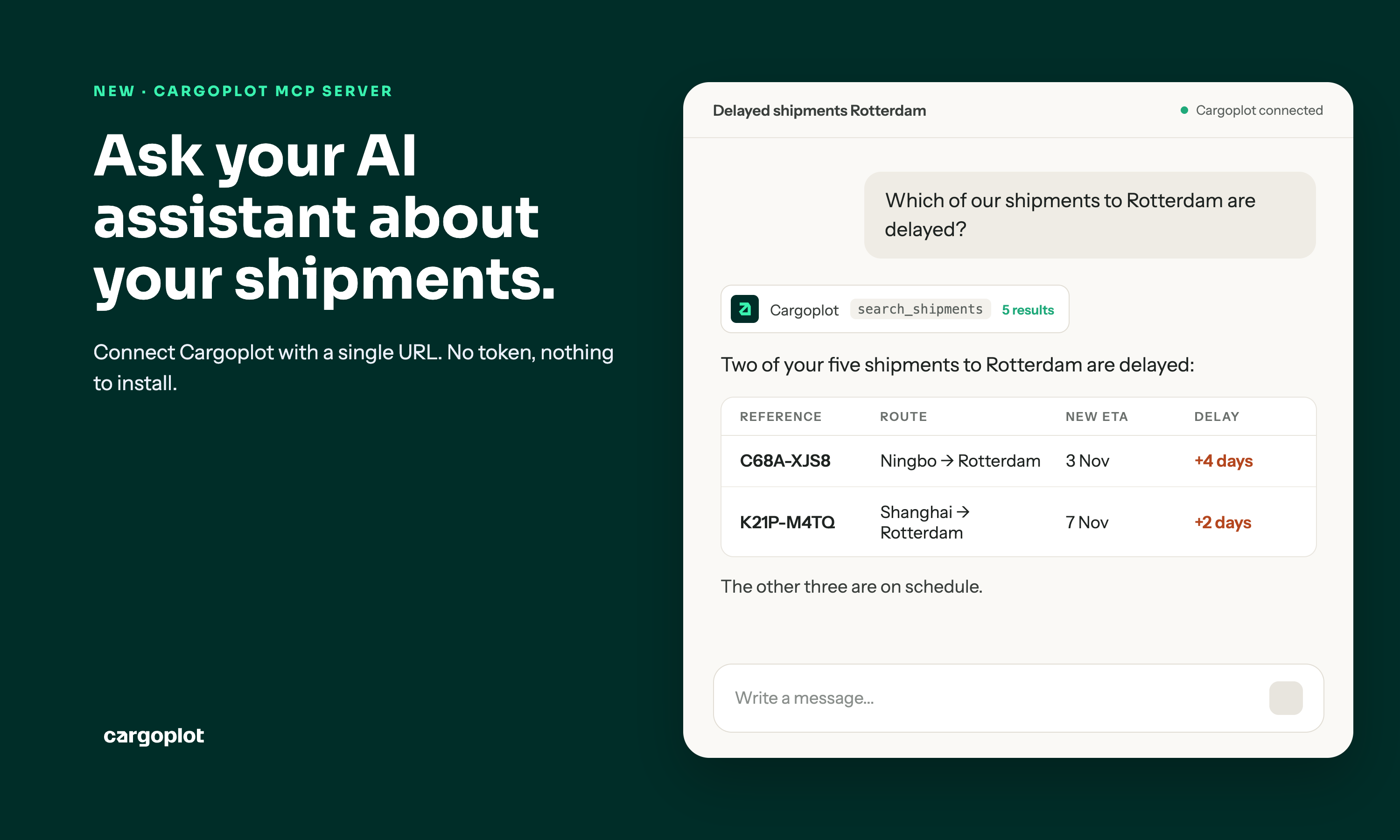
As an importer, you want to know where your container is and what you are paying for it. Until now, that meant logging in and clicking through a dashboard to find it. Now you can simply ask your AI assistant. Cargoplot has launched the Cargoplot MCP server. It connects AI assistants such as Claude and ChatGPT directly to your Cargoplot account, so your assistant can fetch the information for you.
.webp)


What is the Cargoplot MCP server?
MCP (Model Context Protocol) is an open standard that lets AI assistants access data from other systems. With the Cargoplot MCP server, your assistant can look up your shipment data in Cargoplot and answer your questions in plain language. You no longer have to search through the platform yourself.
You can ask questions like:
- "Which of our shipments to Rotterdam are delayed?"
- "Has the container for our last inquiry left port?"
- "What does invoice 2026-0412 cover?"
What your assistant can see
The assistant sees what you see in the Cargoplot app, and only for your own organisation:
- Shipments, searchable by reference, container number, vessel, port or city
- Tracking events per container (sea) or per shipment (air)
- Documents and invoices attached to your shipments
- Quote requests (inquiries)
- Users, your profile and your organisation details
How to connect the Cargoplot MCP server
You connect Cargoplot with a single URL: https://mcp.cargoplot.com/mcp. No token is needed and nothing has to be installed. Make sure you have signed in to the Cargoplot app at least once.
- Claude: go to Customize, then Connectors, and add a custom connector with the server URL. On Claude Team and Enterprise plans, an Owner can add it once under Organization settings for the whole organisation.
- ChatGPT: turn on developer mode and add the server URL as a connector.
- Other AI assistants: any MCP client that supports Streamable HTTP and OAuth sign-in can connect with the same URL.
The first time your assistant uses Cargoplot, it opens a Cargoplot sign-in page. Log in with your Cargoplot account and approve the connection. That's it.
The full setup guide is on developers.cargoplot.com.
What it doesn't do (yet)
In this first version, the assistant can only look up your data in Cargoplot. It does not book, change or cancel anything, and it does not download documents or invoice files.
A few practical points:
- The server uses the same public API as existing integrations and falls under the same rate limit. Very long conversations can hit that limit; the assistant is told when to retry.
- Removing the connector revokes access within an hour.
- Your AI provider can see whatever the assistant retrieves. Only connect assistants your company has approved for shipping data.
What's next: booking via your assistant
Booking container shipments through the assistant is the next step on the roadmap.
"An importer wants to know where their container is and what they are paying for it. They shouldn't have to click through a dashboard to find out," says Maarten de Reij, CEO and founder of Cargoplot. "Now they simply ask their AI assistant. Booking is the logical next step. We are building the future of logistics: simpler for people today, and for AI agents tomorrow."
Get started
Already a Cargoplot customer? Connect your assistant via the setup guide.
Not a customer yet? Book a demo and see how importers from Asia compare, book and manage their freight in one place.
Frequently asked questions Cargoplot MCP
Below you can find all the answers to frequently asked questions about the Cargoplot MCP
What is the Cargoplot MCP server?
It connects AI assistants such as Claude and ChatGPT to your Cargoplot account. You can then ask your assistant about your shipments, invoices and quote requests in plain language, without searching through the platform yourself.
What does it cost?
The Cargoplot MCP server is free for all Cargoplot customers.
Which AI assistants can I connect?
Claude and ChatGPT. Any other MCP client that supports Streamable HTTP and OAuth sign-in can connect too.
How do I connect my AI assistant?
Add the server URL https://mcp.cargoplot.com/mcp as a connector in your assistant. You don’t need a token and there’s nothing to install. The first time your assistant uses Cargoplot, you log in with your Cargoplot account and approve the connection. Make sure you have signed in to the Cargoplot app at least once beforehand.
Can I add it for my whole team at once?
Yes, on Claude Team and Enterprise plans. An Owner adds the connector once under Organization settings, and it’s available to everyone in the organisation.
What information can the assistant see?
Only what you see in the Cargoplot app, and only for your own organisation. That covers shipments with tracking data, the documents and invoices for your shipments, quote requests, users, your profile and your organisation details.
Can the assistant book shipments or download files?
Not yet. In this first version, the assistant can only look up your data. It doesn’t book, change or cancel anything, and it doesn’t download documents or invoice files. Booking container shipments through the assistant is the next step on the roadmap.
Who else can see my data?
Your AI provider can see whatever the assistant retrieves from Cargoplot. Only connect assistants your company has approved for shipping data.
How do I disconnect?
Remove the Cargoplot connector from your assistant, and access stops within an hour. If you reconnect later, you’ll need to approve the connection again.
I connected using mcp.cargoplot.com and it stopped working. What now?
That address no longer responds. Remove the connector and add it again with https://mcp.cargoplot.com/mcp.
I’m not a Cargoplot customer yet. Can I use it?
The MCP server works with a Cargoplot account. Book a demo and we’ll show you how Cargoplot works, including the MCP server.
Related content




Sign up for more supply chain insights:
No spam, just knowledge.